
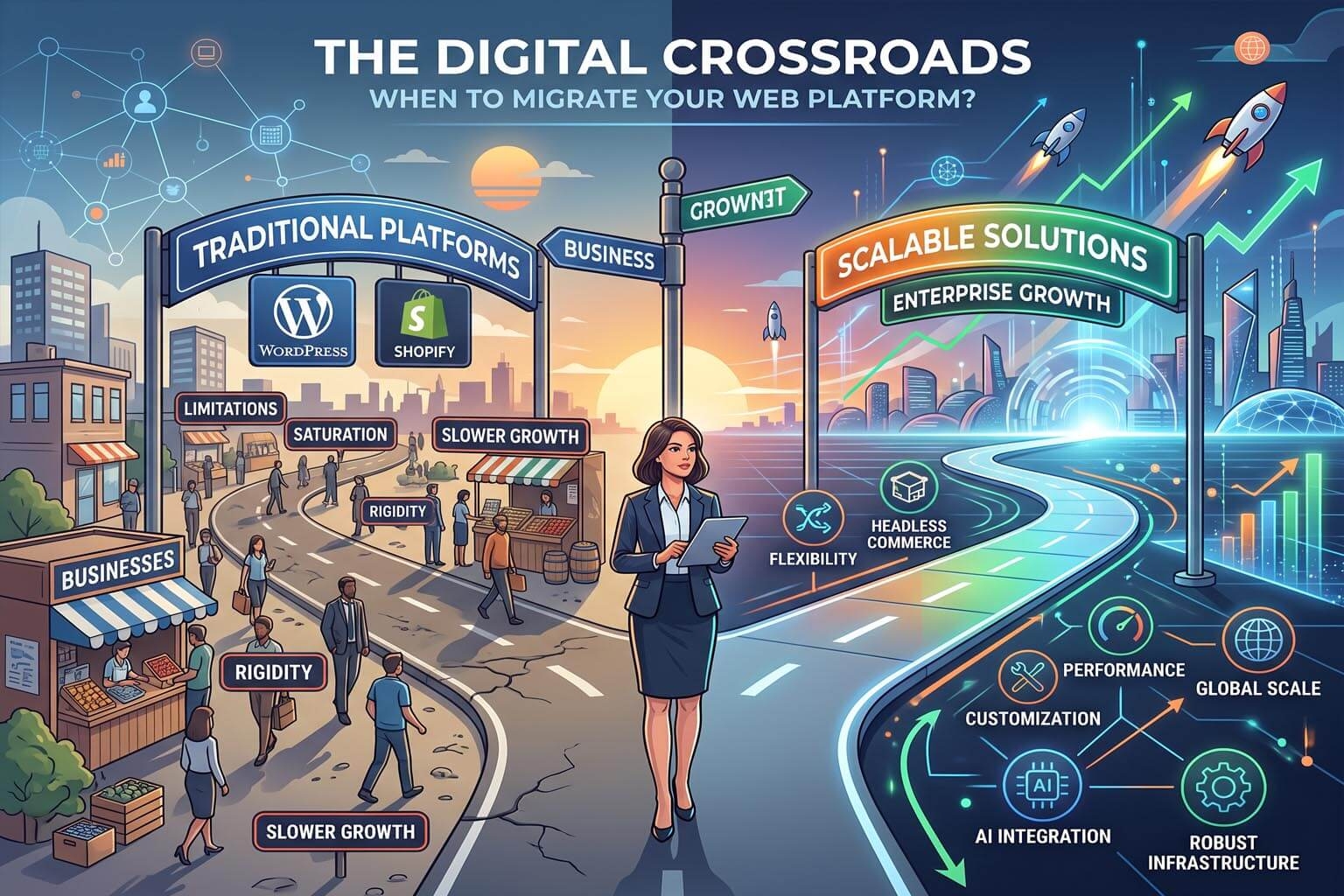
When Should You Move Away From WordPress or Shopify?
WordPress and Shopify have helped millions of businesses establish an online presence.
They are popular for good reasons.
WordPress provides enormous flexibility through themes, plugins, and custom development. Shopify makes it relatively straightforward to launch and operate an online store.
But no platform is perfect for every business.
As a business grows, its requirements change.
A website that was perfectly suitable two or three years ago may eventually become difficult to manage, expensive to maintain, slow, restrictive, or unnecessarily complicated.
The question isn't whether WordPress or Shopify are "bad" platforms.
The better question is:
When does your current platform stop being the right platform for your business?
Here are some of the most important signs.
1. Your Website Has Become Too Dependent on Plugins
This is particularly relevant to WordPress.
One of WordPress's greatest strengths is its plugin ecosystem.
Need a contact form?
There's a plugin.
Need SEO?
There's a plugin.
Need security?
There's a plugin.
Need caching?
Another plugin.
Need e-commerce?
Another one.
Over time, a website can accumulate dozens of extensions.
Individually, these plugins may be perfectly useful.
The problem comes when your website becomes dependent on a large number of independently developed components.
Now you have to think about:
-
Plugin compatibility
-
Updates
-
Security vulnerabilities
-
Licensing
-
Performance
-
Conflicts
-
Abandoned plugins
-
Developer support
If managing plugins has become a significant part of managing your website, it may be worth considering whether your platform architecture is still appropriate.
2. Simple Changes Require Developers
A business website should be able to evolve quickly.
But if every small change requires technical assistance, your website can become a bottleneck.
For example:
-
Changing a page layout
-
Adding a section
-
Updating a banner
-
Creating a landing page
-
Changing a product presentation
-
Updating content
shouldn't necessarily require a development project.
Custom development is valuable for complex requirements.
But routine website management should ideally be accessible to business owners and marketing teams.
If your current platform makes simple changes unnecessarily difficult, it may be time to consider a more visual and business-friendly approach.
3. Your Website Has Become Difficult to Maintain
A website doesn't only have to work today.
It has to continue working tomorrow.
If maintaining your website involves constantly dealing with:
-
Updates
-
Plugin conflicts
-
Theme compatibility
-
Security patches
-
Broken features
-
Manual fixes
-
Developer intervention
then maintenance itself may have become a business problem.
This is especially important when the website has been running for several years.
Technology stacks tend to become more complicated over time.
Sometimes the problem isn't one particular component.
The problem is the accumulated complexity.
4. Your Website Is Getting Slower
Performance is one of the clearest signs that a website may need architectural changes.
A website can become slower because of:
-
Excessive plugins
-
Large images
-
Unoptimized code
-
Too many scripts
-
Poor hosting
-
Inefficient database queries
-
Third-party integrations
-
Excessive page builders
Slow websites create a poor user experience.
They can also hurt conversions and make mobile browsing frustrating.
Google's Core Web Vitals focus on loading performance, responsiveness, and visual stability, making performance an important consideration for modern websites.
If you've spent significant time trying to optimize your website but it remains unnecessarily slow, changing the underlying platform may be worth considering.
5. Your Security Maintenance Is Becoming a Full-Time Job
Security shouldn't be ignored simply because a website hasn't been attacked yet.
A website may depend on multiple software components that require ongoing maintenance.
With a plugin-heavy architecture, businesses may need to keep track of:
-
CMS updates
-
Plugin updates
-
Theme updates
-
Security vulnerabilities
-
User permissions
-
Login protection
-
Backups
-
Security monitoring
This can become difficult for small businesses without dedicated technical staff.
A platform that provides more security capabilities as part of its core architecture can reduce some of this complexity.
If security maintenance has become a constant concern, it's worth reviewing your platform architecture.
6. You're Spending More on Maintenance Than Expected
A platform may look inexpensive when you first launch.
But the real cost of a website includes more than the initial subscription or hosting bill.
You may eventually pay for:
-
Premium plugins
-
Themes
-
Apps
-
Developer support
-
Security services
-
Backup services
-
Performance optimization
-
Hosting upgrades
-
Maintenance contracts
Individually, these expenses may not seem significant.
Together, they can become substantial.
The right question is therefore not:
"How much does the platform cost?"
It's:
"How much does it cost to operate my entire website?"
If the total cost keeps increasing without providing proportional business value, it may be time to compare alternatives.
7. Your Shopify App Stack Has Become Too Large
Shopify approaches extensibility differently from WordPress.
Instead of traditional plugins, businesses commonly use apps and integrations to extend their stores.
This ecosystem is useful.
But the same basic issue can eventually appear.
A store might depend on apps for:
-
Reviews
-
Email marketing
-
SEO
-
Product customization
-
Bundles
-
Subscriptions
-
Promotions
-
Analytics
-
Customer support
-
Shipping
Each additional app can introduce additional costs, dependencies, data flows, or configuration requirements.
If your Shopify store has become a collection of third-party applications that are difficult to manage, it may be worth evaluating a more integrated platform.
8. Your Monthly App Costs Keep Growing
One of the things businesses sometimes overlook is the cumulative cost of SaaS apps.
A store might start with one or two apps.
Then another is added.
Then another.
Eventually, the monthly bill can contain several separate subscriptions.
This can make the total technology cost difficult to predict.
Before switching platforms, calculate your actual annual technology cost.
Include:
-
Platform subscription
-
Apps
-
Themes
-
Development
-
Maintenance
-
Email services
-
Marketing tools
-
Security tools
-
Additional infrastructure
You may discover that the "cheap" solution isn't actually cheap anymore.
9. You Need More Design Freedom
Shopify provides themes and customization capabilities, while WordPress can be highly customizable.
But businesses sometimes reach a point where their desired user experience doesn't fit comfortably into their current platform.
You may want:
-
A completely different product page
-
Custom landing page structures
-
Unique navigation
-
Specialized content layouts
-
Different checkout experiences
-
Custom customer journeys
If achieving the desired design requires extensive custom development or workarounds, it may be worth evaluating platforms that provide more visual design control.
10. Your Website and Store Feel Like Separate Systems
Many businesses operate both a marketing website and an online store.
For example:
Website → Content → Blog → Product Pages → Store → Checkout
If these experiences are managed through separate systems, the business may end up maintaining:
-
Multiple interfaces
-
Multiple templates
-
Multiple content systems
-
Multiple integrations
-
Multiple analytics setups
This isn't automatically a problem.
But if it creates unnecessary operational complexity, an integrated website and e-commerce platform may be a better fit.
11. You Need Better Control Over SEO
SEO requirements can become more sophisticated as a business grows.
Businesses may need control over:
-
Titles
-
Meta descriptions
-
URLs
-
Canonical URLs
-
Structured data
-
Sitemaps
-
Redirects
-
Internal linking
-
Content architecture
WordPress can provide extensive SEO flexibility, often through plugins and custom configuration.
Shopify provides built-in SEO capabilities and can be extended through apps and customization.
But if your SEO strategy constantly runs into platform-specific limitations, it may be worth evaluating alternatives.
The important thing isn't whether a platform is "SEO-friendly."
It's whether it gives your business the control it actually needs.
12. Your Business Needs More Than E-Commerce
Shopify is primarily built around commerce.
That's a major strength when selling products is the central requirement.
But some businesses need their website to be much more than a store.
They may need:
-
Extensive content
-
Blogs
-
Resources
-
Service pages
-
Lead generation
-
Community features
-
Custom workflows
-
Specialized business applications
If your online presence has evolved beyond a traditional online store, you may want a platform that treats content, website building, and e-commerce as equally important components.
13. Your Business Has Outgrown a Traditional CMS Workflow
WordPress is incredibly flexible.
But flexibility can sometimes result in complexity.
A typical website may involve:
WordPress + Theme + Page Builder + Plugins + Security + Caching + CDN + Custom Code
Every component can be useful.
But the complete system can become difficult to understand and maintain.
If your website requires a specialist just to understand how everything fits together, that may be a sign that the underlying architecture has become too complicated for your needs.
14. You Are Constantly Fixing Something
This is one of the easiest warning signs to recognize.
Ask yourself:
How often do I have to fix my website?
If the answer is:
-
Every week
-
Every month
-
After every major update
-
Whenever a plugin changes
-
Whenever an app changes
-
Whenever the hosting environment changes
then something may be wrong with the overall architecture.
A website shouldn't require constant firefighting just to remain operational.
15. You Are Paying Developers for Routine Work
Developer expertise is valuable.
It should be used for things that actually require development.
If developers spend significant time doing routine work such as:
-
Updating content
-
Changing layouts
-
Creating simple landing pages
-
Updating banners
-
Making basic design changes
then the platform may not be giving your team enough control.
A visual website builder can shift routine work to business and marketing teams.
Developers can then focus on more complex and valuable tasks.
16. Your Website Is Becoming Harder to Scale
Scaling isn't only about handling more traffic.
A growing business may need:
-
More products
-
More pages
-
More customers
-
More orders
-
More content
-
More domains
-
More integrations
-
More team members
The platform should make this growth manageable.
If adding new functionality creates increasingly complex workarounds, it may be time to consider a platform designed with your next stage of growth in mind.
17. You Need Multiple Websites or Domains
A growing business may eventually operate:
-
Multiple brands
-
Regional websites
-
Product-specific websites
-
Separate marketing sites
-
Different storefronts
Managing each website independently can create unnecessary duplication.
A platform that supports multiple domains or websites within a unified management environment can simplify operations.
If your business is moving toward a multi-site strategy, platform architecture becomes particularly important.
18. Your Team Wants More Control
Sometimes the most important reason to switch platforms is simple:
Your team wants to be able to manage the website themselves.
If marketers want to launch landing pages without developers, or business owners want to update pages without submitting tickets, that is a legitimate platform requirement.
Technology should serve the business.
The business shouldn't have to reorganize itself around the limitations of its technology.
19. You Want an All-in-One Platform
There is a growing preference among businesses for integrated platforms.
Instead of maintaining:
Website + E-Commerce + SEO + Security + Forms + Hosting + Analytics + Plugins + Apps
businesses may prefer:
One platform + selected integrations
The objective isn't necessarily to eliminate every external service.
It's to have the core business functions managed in one place.
This can simplify:
-
Administration
-
Training
-
Maintenance
-
Security
-
Updates
-
Costs
-
Troubleshooting
20. You Are Spending More Time Managing Technology Than Growing the Business
This is perhaps the biggest warning sign.
A website should help the business grow.
It shouldn't consume disproportionate amounts of time simply to keep it functioning.
If your team spends too much time thinking about:
-
Plugins
-
Apps
-
Updates
-
Hosting
-
Compatibility
-
Security
-
Technical maintenance
then it may be worth stepping back and evaluating the platform itself.
Sometimes the right solution isn't another plugin or app.
Sometimes it's a different foundation.
Should You Leave WordPress or Shopify Immediately?
No.
Switching platforms is a significant decision.
Migration can involve:
-
Content
-
Products
-
Customers
-
Orders
-
URLs
-
SEO
-
Images
-
Integrations
-
Domain configuration
There is no reason to migrate simply because another platform exists.
If your current platform is working well, meeting your requirements, and costing an acceptable amount to operate, there may be no reason to change.
The important thing is to recognize when the platform is becoming a constraint.
When Staying Makes Sense
WordPress may still be a good choice if:
-
You need its enormous ecosystem.
-
Your team has strong WordPress expertise.
-
Your current plugin stack is manageable.
-
Performance is acceptable.
-
Security is properly maintained.
-
Your customization requirements are being met.
Shopify may still be a good choice if:
-
E-commerce is your primary focus.
-
Your current store meets your requirements.
-
Your app ecosystem is manageable.
-
Your operating costs make sense.
-
You don't need extensive platform-level customization.
The goal isn't to leave a platform simply because it is popular.
The goal is to use the platform that best matches your current needs.
When Moving Makes Sense
Moving away becomes more compelling when several problems appear simultaneously.
For example:
Slow website + plugin/app overload + increasing costs + security concerns + developer dependency
is a much stronger reason to consider migration than any single problem alone.
Likewise:
Limited design flexibility + growing e-commerce needs + multiple systems + rising app costs
may justify evaluating alternatives to Shopify.
The more your platform gets in the way of your business, the more valuable a migration becomes.
How to Decide if It's Time to Switch
Before making a decision, score your current platform from 1–10 in these areas:
| Area | Score |
|---|---|
| Website performance | /10 |
| Security | /10 |
| Ease of management | /10 |
| Design flexibility | /10 |
| SEO control | /10 |
| E-commerce capabilities | /10 |
| Scalability | /10 |
| Total cost | /10 |
| Developer dependency | /10 |
| Integrations | /10 |
Then ask:
Which areas are causing actual business problems?
A low score isn't automatically a reason to migrate.
But if several important categories score poorly, it's worth investigating alternatives.
Don't Compare Platforms by Feature Count
This is an important point.
A platform with 500 features isn't automatically better than one with 100.
What matters is how those features work together.
A website with dozens of plugins and apps may technically have more functionality, but it may also have:
-
More dependencies
-
More maintenance
-
More updates
-
More costs
-
More potential conflicts
A simpler integrated architecture can sometimes provide a better business experience.
The right question isn't:
"Which platform has the most features?"
It's:
"Which platform gives my business the capabilities it needs with the least unnecessary complexity?"
Where RoundRockk Fits
RoundRockk is designed for businesses that want an alternative approach to managing their websites and online stores.
The platform combines website building and e-commerce capabilities while focusing on areas such as:
-
Visual website creation
-
E-commerce
-
SEO controls
-
Website performance
-
Security
-
Content management
-
Scalable infrastructure
-
Multi-domain capabilities
-
Integrated website management
The idea is to reduce the need to assemble a business website from a large collection of separate components.
Instead of building:
CMS + Plugins + Theme + Security + E-Commerce + Additional Services
the goal is a more integrated foundation:
Website + E-Commerce + Content + SEO + Security + Performance
Businesses can still use external services when they need specialized functionality.
The difference is that the core website doesn't need to depend on an ever-growing collection of extensions for everyday requirements.
Migration Should Be a Business Decision
If you're considering moving away from WordPress or Shopify, don't start by asking:
"Which platform should I move to?"
Start by asking:
"What problems am I trying to solve?"
Maybe your website is too slow.
Maybe maintenance is too expensive.
Maybe your team needs more visual control.
Maybe your plugin or app stack has become too complicated.
Maybe you need better e-commerce and content integration.
Maybe you're spending too much time managing technology.
Once you understand the actual problem, you can evaluate platforms based on whether they solve it.
That's much better than simply moving from one platform to another and recreating the same problems somewhere else.
Final Thoughts
WordPress and Shopify aren't inherently bad choices.
They have helped countless businesses build successful online operations.
But a platform can be excellent and still not be the right fit for a particular business.
If your website has become slow, difficult to maintain, expensive, overly dependent on plugins or apps, difficult to customize, or increasingly dependent on developers, it may be time to reconsider your platform.
The goal shouldn't be to leave WordPress or Shopify just for the sake of leaving.
The goal should be to move toward a platform that better matches the way your business operates today—and where you want it to go tomorrow.
For many businesses, that may mean staying where they are.
For others, it may mean looking for something simpler, more integrated, more visual, or more scalable.
The right time to move away isn't when WordPress or Shopify becomes "bad."
It's when your platform starts holding your business back.
